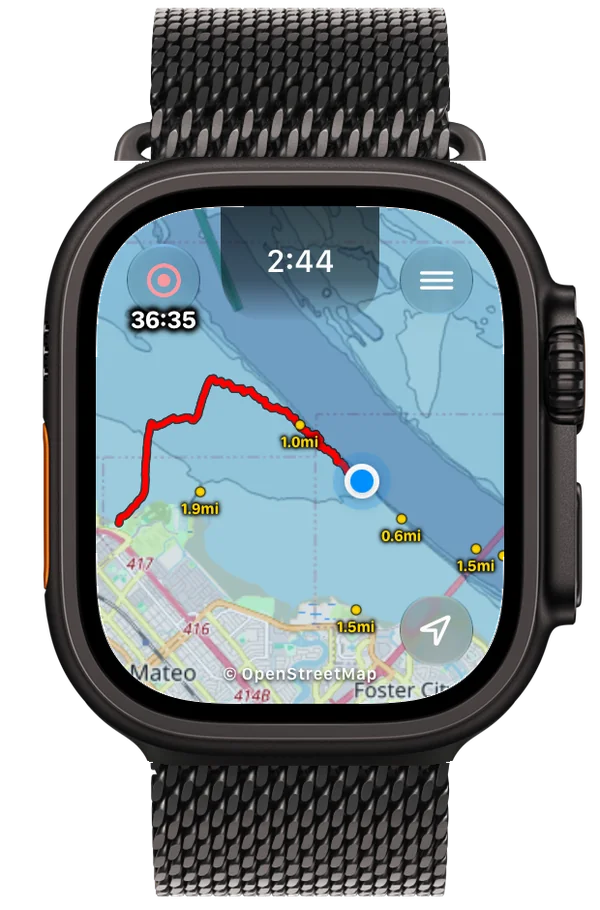
Apple Watch on the water
See your position, track, and nearby markers.
 MarinePath
Track your foiling, paddling, and sailing sessions on iPhone or Apple Watch. Follow a saved route, mark exit spots, and share your track.

Created by a San Francisco Bay Area rider.
Record
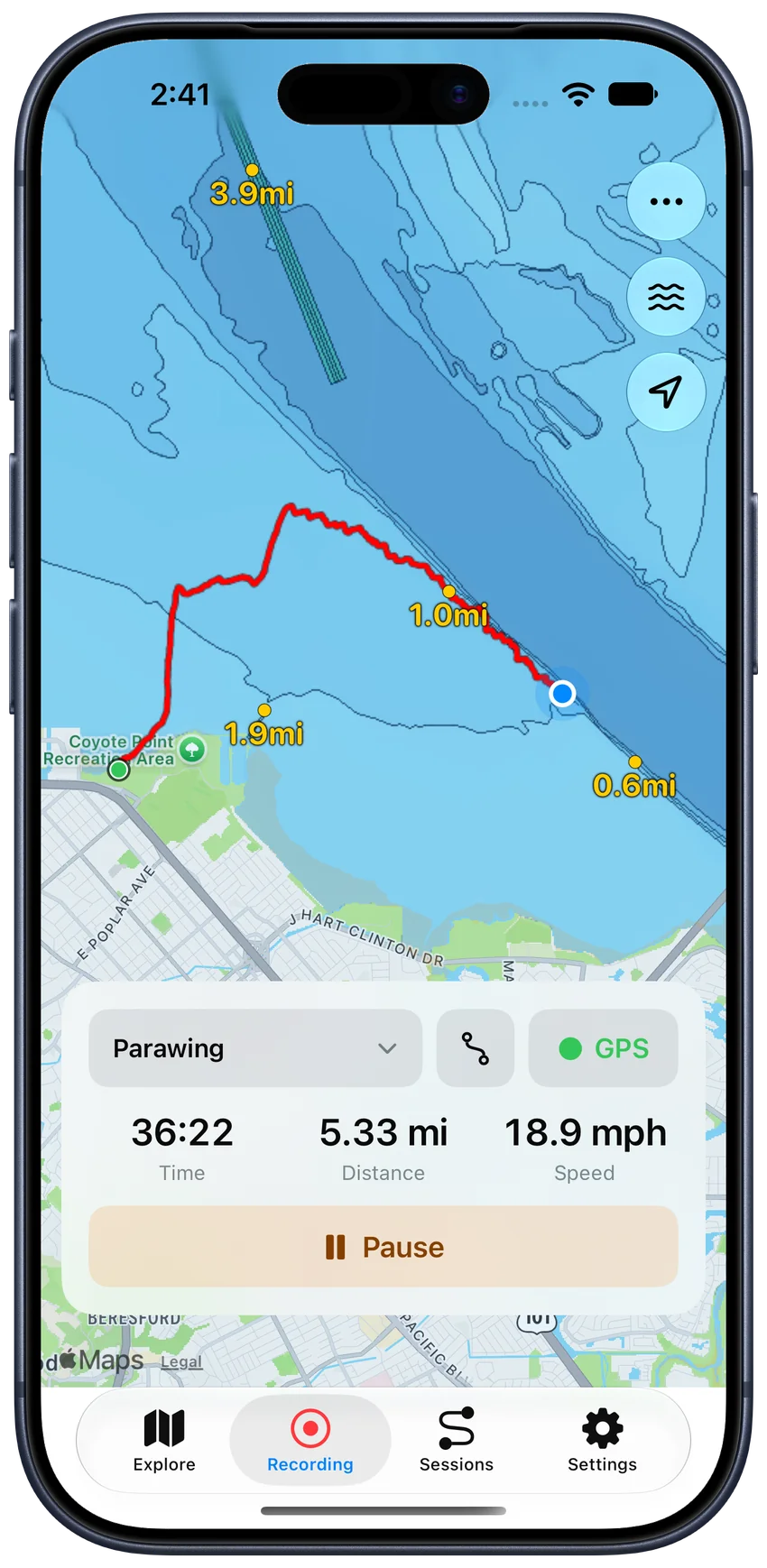
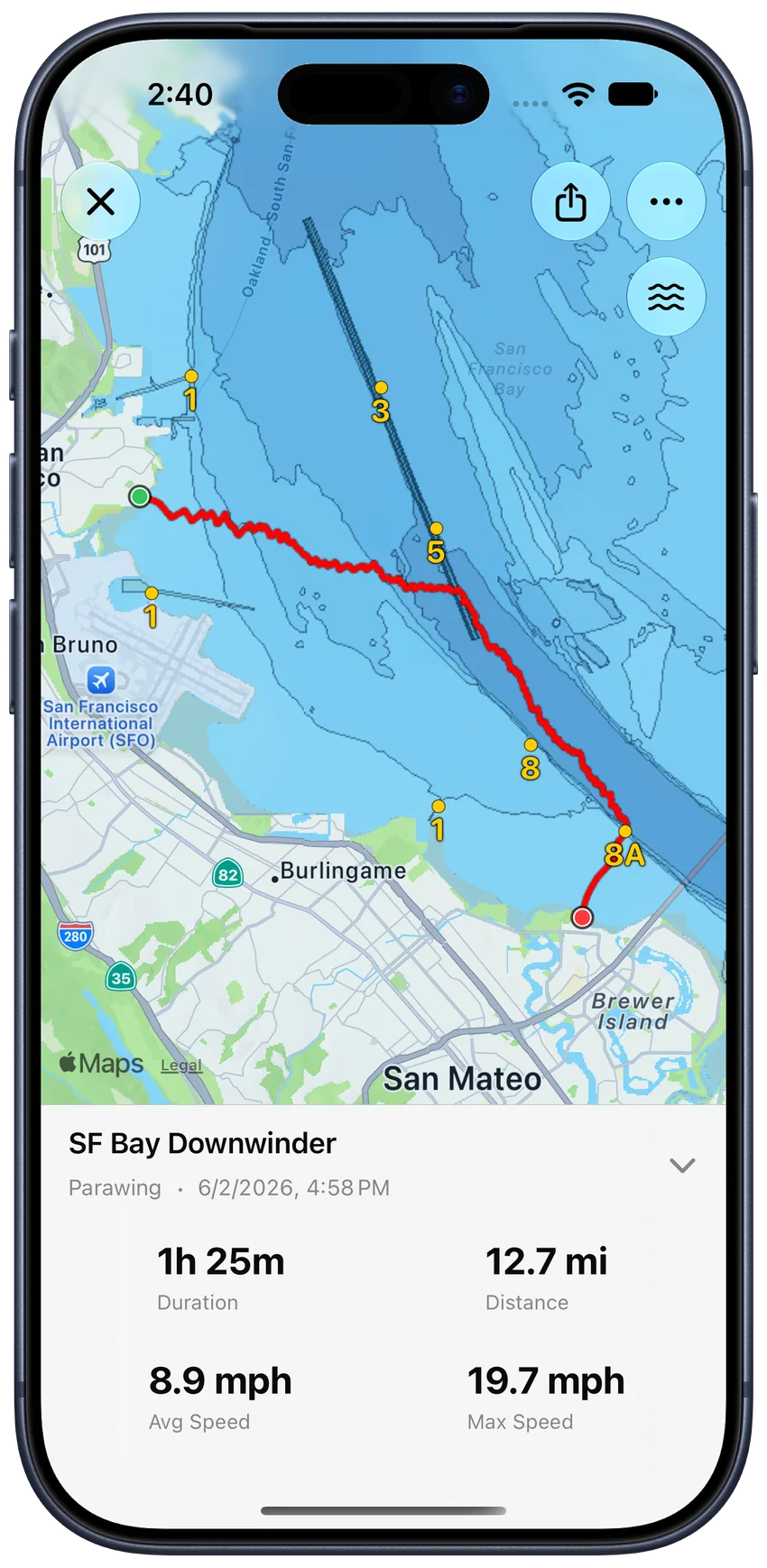
Record GPS tracks on iPhone or Apple Watch. See your time, distance, and speed as you ride, plus available heart rate on Apple Watch. Review your track and session stats when you’re back on shore.
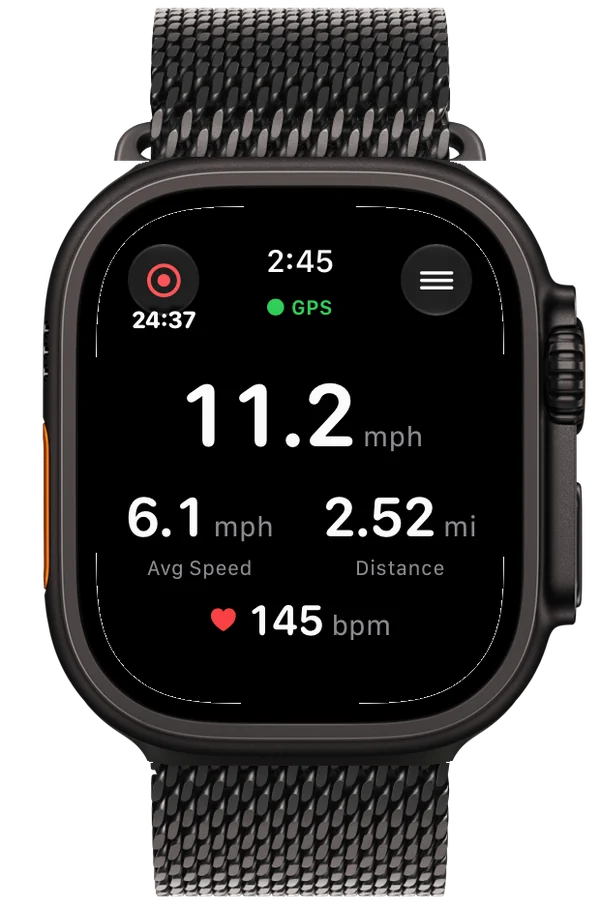
Apple Watch
See current and average speed, elapsed time, distance, and available heart rate in Live Stats. Switch between your map and stats before or during a session, with your view choice remembered.
On supported Apple Watches, configure MarinePath for the Action Button to start recording with the first press and switch views with subsequent presses.
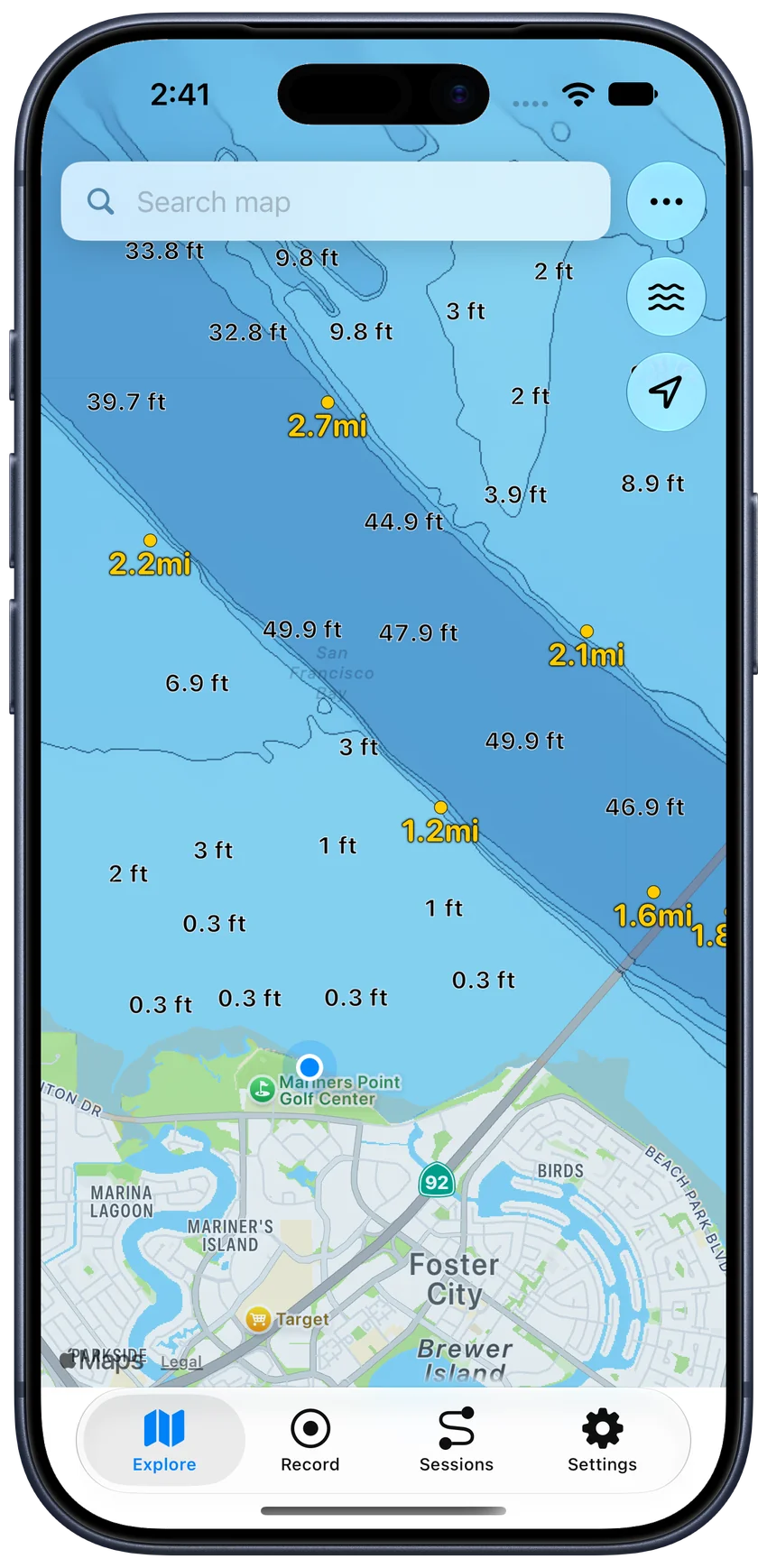
Explore
See your position relative to channel markers. Create waypoints for exit spots and check distances to nearby markers and waypoints.
Marine charts and charted depths are available where NOAA provides coverage in U.S. waters.
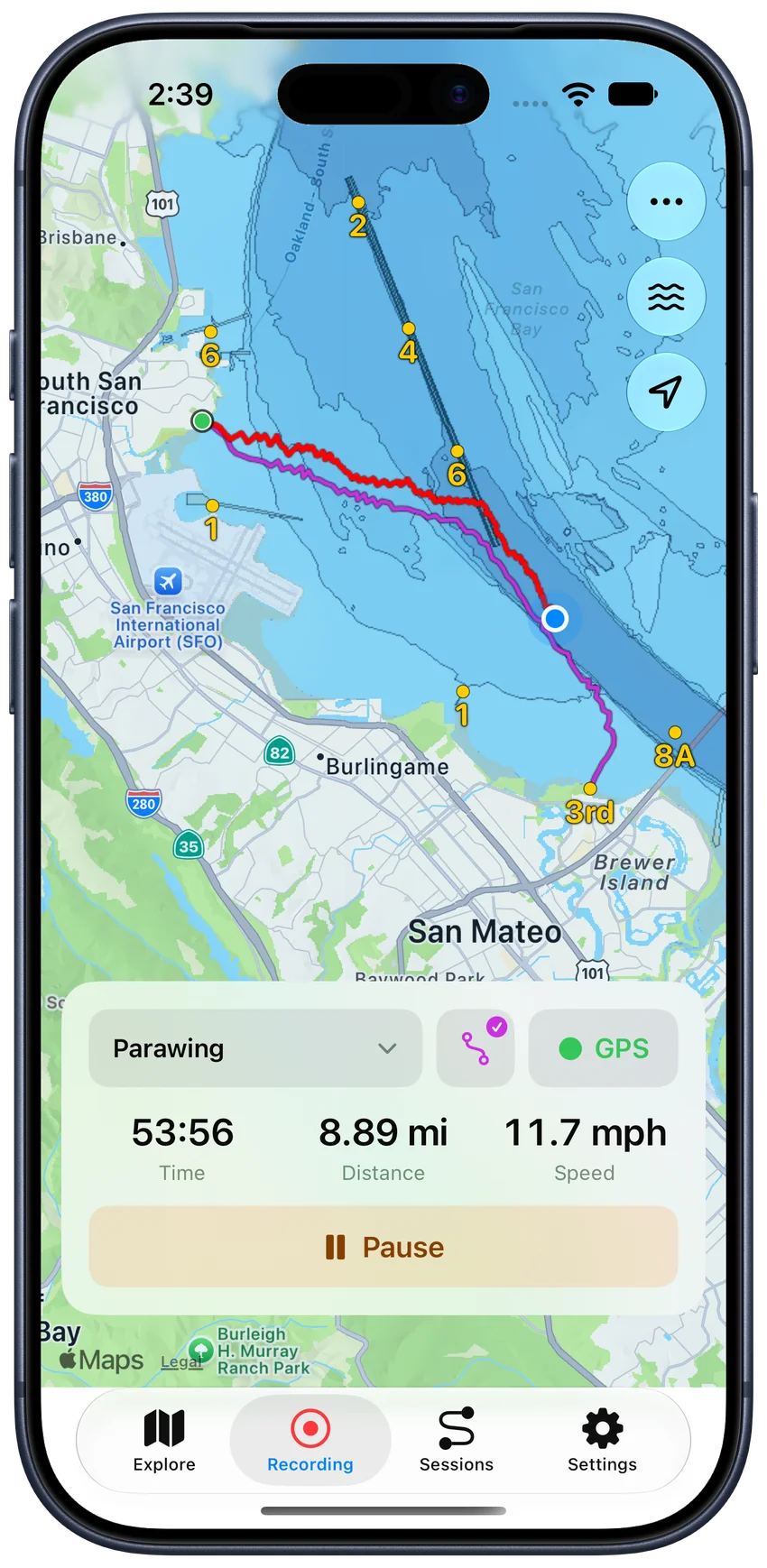
Routes
Use a previous session or imported GPX track as a visual guide while recording on iPhone or Apple Watch. Save sessions as Routes, organize your library on iPhone, and sync it to your Watch.
Your new recording stays separate from the route you follow. See how route following works.
Ready for your next session.
Relive & share
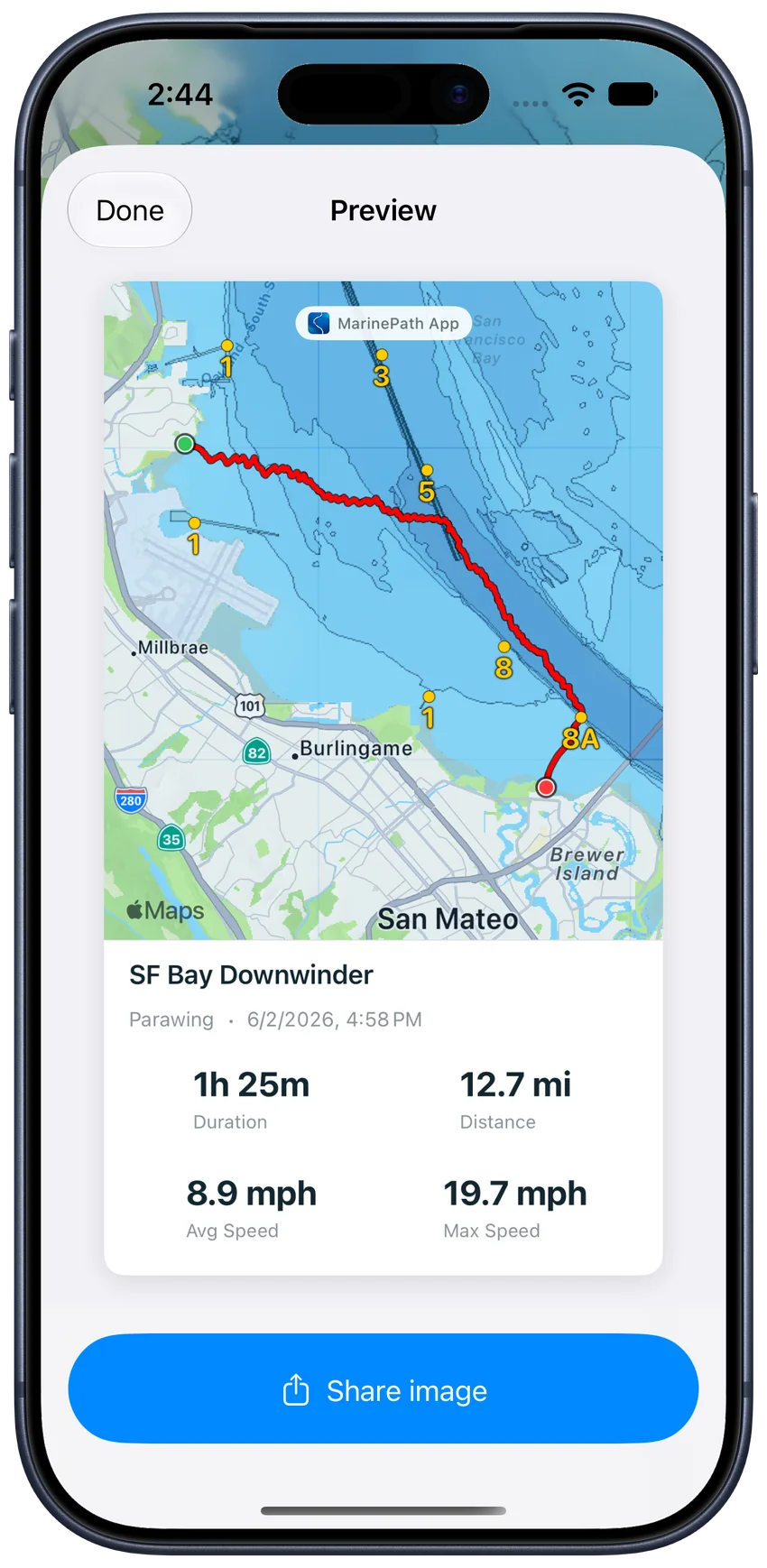
Explore your track in satellite view, review your speed along the way, and share an image of your full track and stats with friends.
Import recorded GPX tracks or export your sessions for other compatible tools.
Explore all features, screenshots, and practical guides
Short demos
Tap a demo to see how it works on the water.
See your position, track, and nearby markers.
Use a familiar track as a guide while recording.
No. Record on iPhone without a paired watch or Health permission. The iPhone and Watch apps do not require an account. Watch and iPhone record separate sessions, with no automatic handoff.
NOAA charts, markers, and charted depths cover supported U.S. waters, not worldwide. Depths are charted soundings, not live measurements. MarinePath is for situational awareness and session tracking, not certified for navigation.
iPhone GPS recording works without an internet connection. Downloading map tiles and searching for locations need connectivity. Cached tiles do not guarantee complete offline map coverage.
More questions? Visit Help & Support.
Built for parawing, foiling, sailing, kayaking, and days on the water.